Tekla Drawing Checklist
Stop fabrication delays before they reach the shop floor. Tekla Drawing Checklist compares physical model parts with your active drawings in real-time, instantly listing what is missing so your detailing team can close gaps before release. Included in Tekla Tools Suite.
Key Features
- Real-Time Model vs. Drawing Comparison
- Missing-Part Detection Dashboard
- Tekla Structures Integration
- Included in Tekla Tools Suite
- Annual Updates & Support
per seat / year · Billed yearly
Suite pricing · billed yearly per seat
Included in Tekla Tools Suite — one annual per-seat license unlocks Drawing Checklist, Group Manager, and Model Notes.
Get Tekla Tools Suite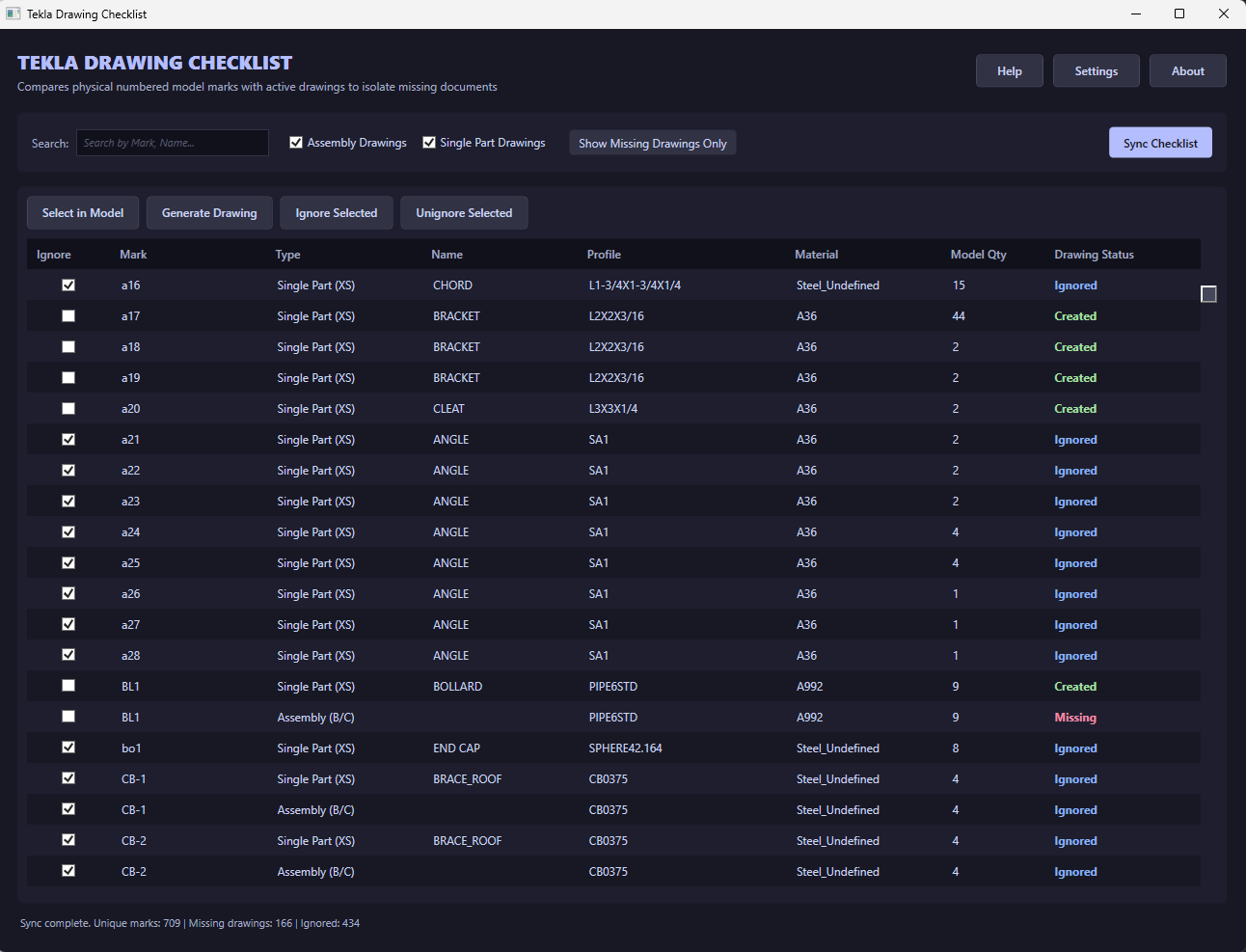
The failure mode this catches
A model has a part. The drawing set does not. Nobody notices until the shop asks for a detail that was never issued, and by then the sequence is already loaded and the erection date has not moved. The gap is almost never a modelling mistake — it is a part added after the drawing pass, a numbering change, or a member that fell out of a view.
Finding it manually means reconciling a part list against a drawing list, which is exactly the kind of comparison people stop doing carefully at 4:30 on a Friday. The checklist runs the comparison against the live model and the active drawings and returns what is missing.
Where it sits in the release process
It is a pre-release gate, not a QA report you read after the fact. Run it before an issue, close the gaps it lists, then release. Because it reads the model directly rather than an export, the answer reflects the state of the job at that moment.
New licenses are sold as Tekla Tools Suite, which also includes Group Manager and Model Notes on the same seat.
Questions people ask before buying
How do I buy it?
Purchase Tekla Tools Suite. Drawing Checklist is included with Group Manager and Model Notes under one annual per-seat key.
Which Tekla versions does it target?
It integrates with Tekla Structures through the model API. Version compatibility is confirmed per release, so ask before assuming your environment is covered.
Does it change my model or drawings?
No. It reads and reports. Every fix stays a deliberate action by the detailer.
Questions this page did not answer? Use the contact form — it reaches the person who wrote the software. Licensing terms are in the End-User License Agreement.