PaintLogic
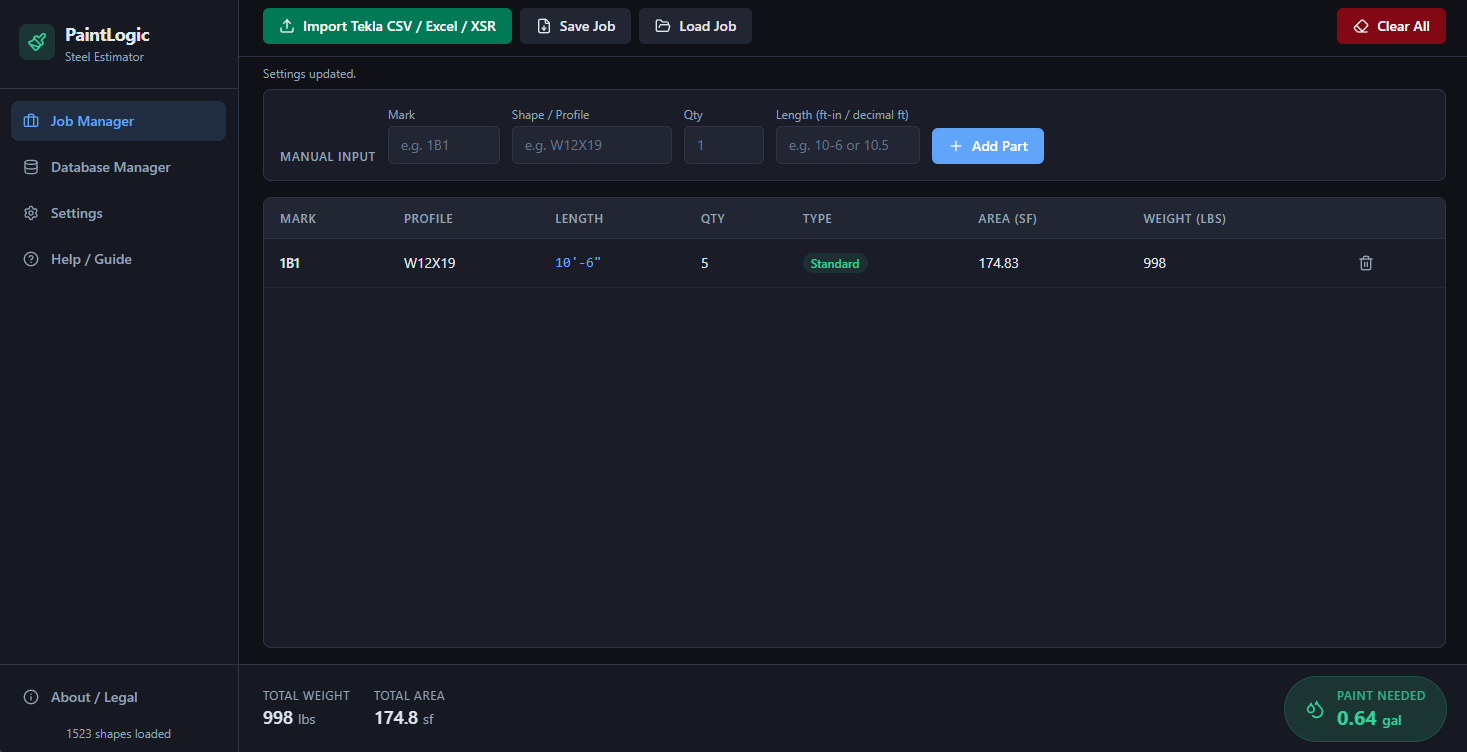
PaintLogic transforms raw Bill of Materials data and Tekla exports into precise paint coverage and shipping weight calculations in seconds. Whether you need to estimate paint quantities for massive commercial structures or quickly calculate the raw tonnage of custom assemblies, PaintLogic eliminates the guesswork—helping you submit faster, more accurate bids.
Key Features
- Instant Tekla & BOM CSV Importing
- Automatic AISC Surface Area & Weight Calculations
- Smart Paint Estimator with Custom Coverage Rates
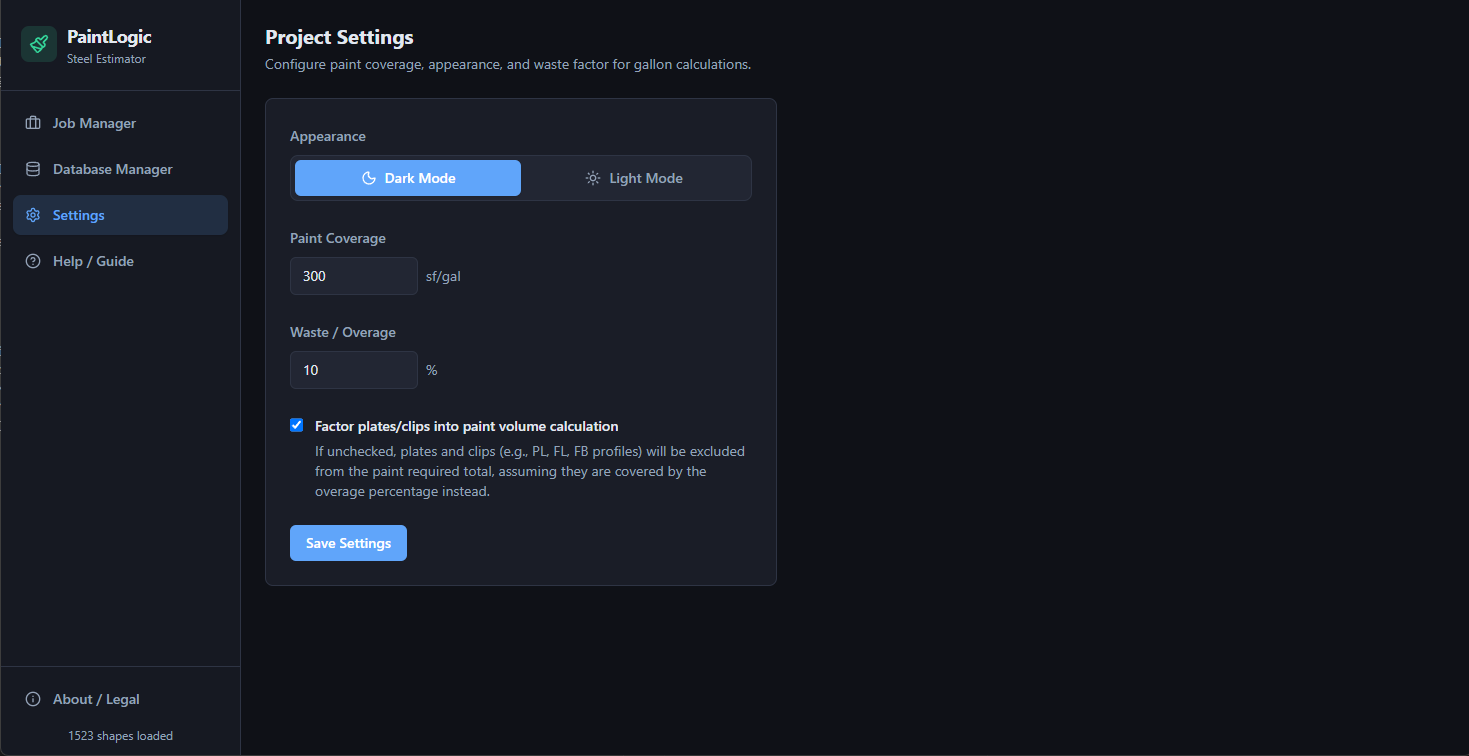
- Adjustable Overage & Waste Factors
- Selective Plate Filtering for Paint Calculations
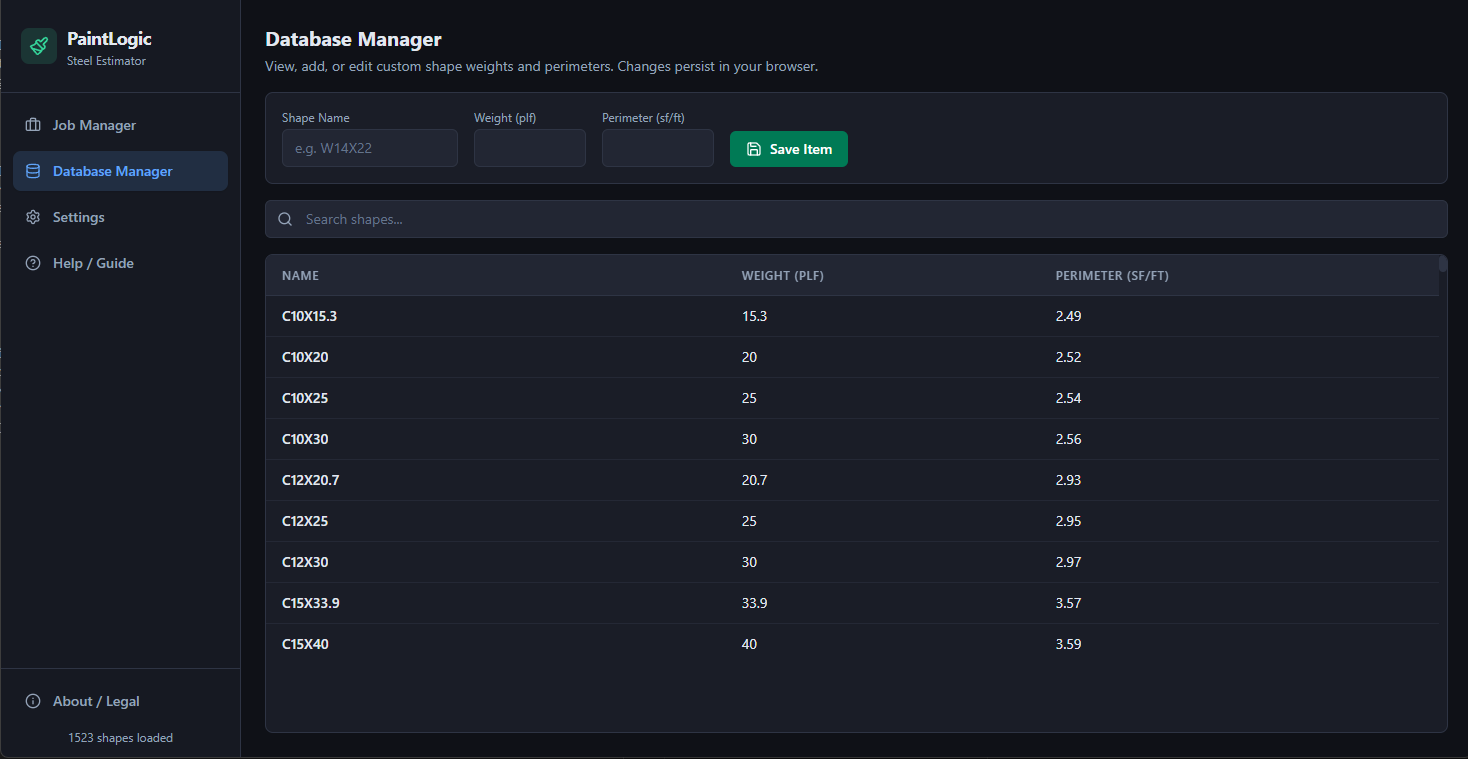
- Interactive Shapes Database Manager
- Manual Entry Input Bar for On-the-Fly Additions
- Local Jobs Saver & Loader (.json)
- Responsive Dark & Light Themes
- Free DSTV 3D Viewer on StructLogic (inspect NC1 geometry in-browser)
per seat · Lifetime updates included
The problem it removes from a bid
Paint quantity on a structural job is a surface area problem wearing an estimating disguise. The BOM gives you shapes and lengths; the paint spec gives you mils and a theoretical spread rate. Between them sits the part nobody enjoys: pulling surface area per foot for every section on the list, multiplying through, deciding which plates get coated, and adding an overage that survives review.
Done by hand in a spreadsheet, that is an afternoon per job and a new opportunity for a transcription error each time. PaintLogic imports the Tekla or BOM CSV directly, matches designations against an AISC shapes database, and returns coated area and shipping weight in seconds.
Where the numbers come from
Surface area and weight are derived from published AISC section properties, not from a rule-of-thumb multiplier on tonnage. Coverage is your spread rate in square feet per gallon at the specified dry film thickness, with a waste factor you set rather than one baked in — shop spray on plate girders and field brush on lattice do not lose the same percentage, and an estimator knows their own numbers.
The shapes database is editable. If your fabricator stocks a section the standard tables do not carry, or your region uses a metric equivalent, you add it once and every later job picks it up. Plate filtering matters for the same reason: galvanised, machined, and faying surfaces come out of the paint count without coming out of the shipping weight.
Fits the way a shop already works
Jobs save to local .json files, so a bid lives next to the rest of the job folder on your network share rather than in a vendor's cloud. Nothing is uploaded and there is no account to provision — relevant when the drawings are under a client confidentiality clause.
There is a manual entry bar for the parts that always show up after the BOM is exported, and the free DSTV NC1 viewer on StructLogic pairs with it when you need to confirm geometry on a part before you trust its area.
Questions people ask before buying
What file does it import?
CSV exported from Tekla Structures or from a bill of materials. Column mapping is configurable because no two shops export the same header row.
Is the paint estimate accurate enough to bid?
It is as accurate as your spread rate and waste factor, which is how paint estimating works. The tool removes the arithmetic and lookup errors; it cannot know your applicator's transfer efficiency. Estimators typically calibrate the waste factor against two or three completed jobs and then trust it.
Does it handle galvanised or uncoated members?
Yes. Selective plate and member filtering keeps them out of the paint calculation while they stay in the shipping weight total.
How is it licensed?
$49.99 per seat, one-time. Seats activate against a hardware fingerprint; contact us to release a seat when a machine is replaced.
Questions this page did not answer? Use the contact form — it reaches the person who wrote the software. Licensing terms are in the End-User License Agreement.